Comrex BRIC-Link
Overview
The comrex-briclink module provides control and monitoring of Comrex BRIC-Link and BRIC-Link II audio codecs.
It connects to the device over a TCP socket (default port 80) using Comrex’s MD5 challenge/response authentication, then continuously monitors the codec while exposing peer, profile, statistics and audio controls in the BUG panel.
Features
- manage the codec’s peer (connection) list: add, connect, disconnect, rename, update and delete peers
- set an always-on / auto-connect peer
- view and manage connection profiles, including renaming and setting the default profile
- live audio metering and per-channel / per-peer connection statistics with history
- audio device listing and history
- system option monitoring
- optional codec database lookup to populate peer targets from another BUG module
Configuration
| Field | Default Value | Description |
|---|---|---|
id | "" | Unique identifier for this module instance (usually auto-generated). |
order | 0 | Display order of the panel in the dashboard. |
needsConfigured | true | Indicates whether the module has been configured since build. |
title | "" | Human-readable title for this module instance, shown in the UI. |
module | "comrex-briclink" | Internal name of the module. |
description | "" | Optional text describing the module instance in the UI. |
notes | "" | Free-text field for extra notes about this configuration. |
enabled | false | Flag indicating whether this module instance is active. |
address | "" | IP address or hostname of the Comrex BRIC-Link device. |
username | "bug" | Username used to authenticate with the device. |
password | "comrex" | Password for the device user. |
port | "80" | TCP port used to connect to the device. |
delay | 100 | Alert if receive buffer / delay setting (ms) goes above this level |
jitter | 50 | Alert if jitter buffer (ms) goes above this level |
loss | 5 | Acceptable packet loss threshold (%) for the codec link. |
codecSource | "" | Optional BUG module id that provides a codec-db list of targets. |
Panels
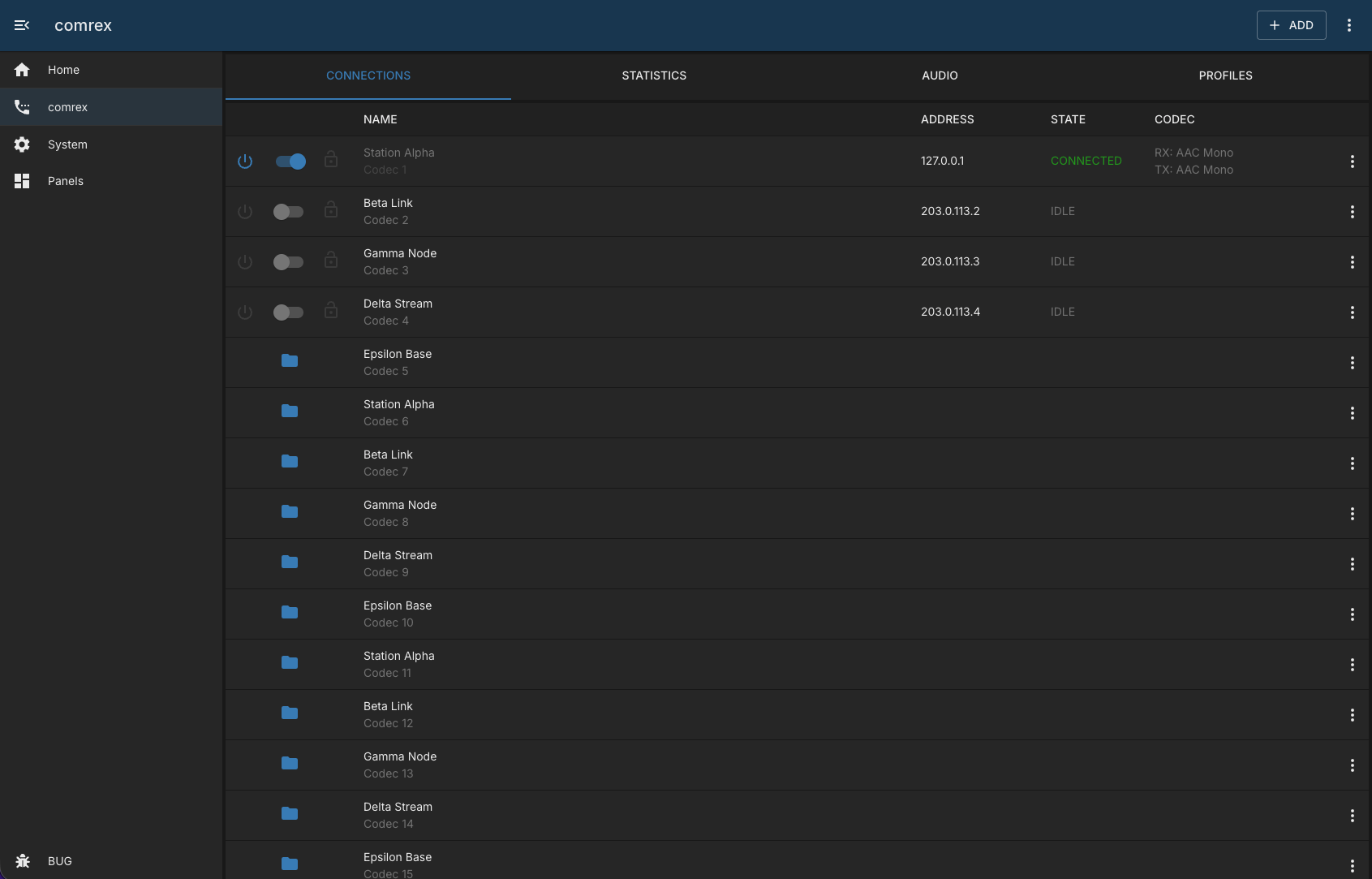
- Main Panel – tabbed view of the device with Peers, Profiles, Statistics and Audio tabs.
- Peer Panel / Peer Add Panel – view a single peer and add new peers.
- Config Panel – admin-only configuration (address, credentials and connection parameters).
Capabilities
This module follows BUG’s standard capabilities model. For more information, see BUG Capabilities Documentation.
| Type | List |
|---|---|
| Exposes | None |
| Consumes | codec-db |
When codecSource is set to another module instance that exposes codec-db, the module uses that list to help populate peer connection targets.
Device Configuration
The module communicates with the codec over TCP on the configured port (default 80) using Comrex’s login challenge and MD5 password response.
Ensure the device is reachable from the BUG host at the configured IP address and that the supplied username and password are valid for the device.
Troubleshooting
No device information appears in the panel
Verify the module is enabled and that address, username, password and port are correct and the device is reachable from BUG.
The panel shows a status warning or critical state
The status check reports when no recent peer data or statistics have been stored. Confirm the device is online and that the workers are able to log in with the configured credentials.
Codec targets do not appear
Check that codecSource points to a module instance that exposes the codec-db capability and that it is enabled and returning data.
Changelog
version 1.0.11
- 2026-07-21: add heartbeat and status check (417b022)
- 2026-07-21: add default status check service [copilot] (103c4b5)
- 2026-07-21: improve services + logging (e0b85a7)
- 2026-07-21: update worker tasks [copilot] (81bbc73)
version 1.0.10
- 2026-07-11: fix device property access in codec data [copilot] (43a4efe)